Browser extension
LinkedIn, from the page you are already on.
The Outiy extension works inside your own browser and your own LinkedIn session. Save anyone you are looking at, find their work email, and let your sequence’s LinkedIn steps be written — and, if you want, sent — without leaving the profile.
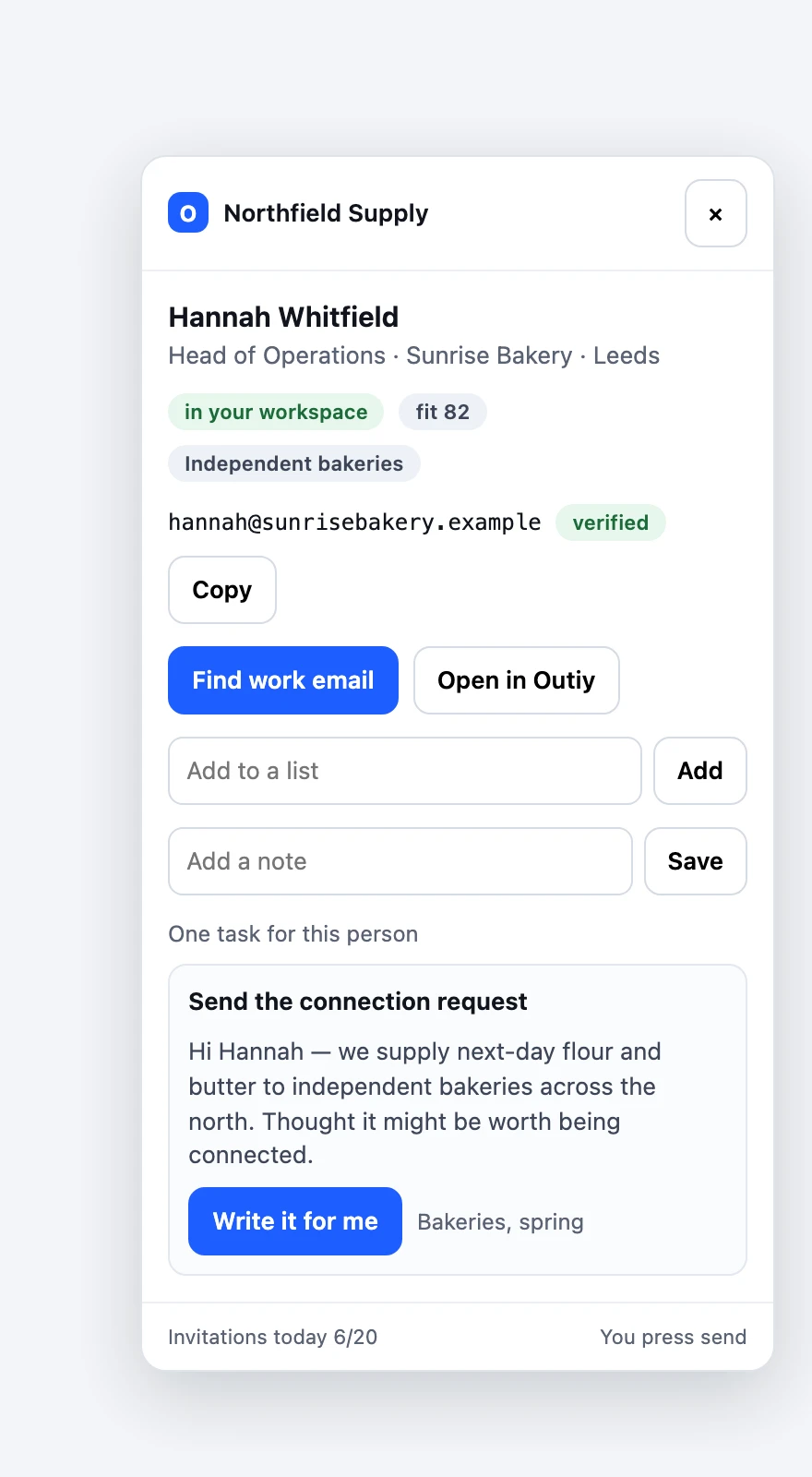
Save anyone, in one click
Name, role, company, place and past positions come straight off the page. Save one profile, or everybody on a search results page, into a list.
The email LinkedIn does not show
LinkedIn hides almost everyone’s address. Outiy finds it from the name and the company domain, and verifies it before you send.
Your sequence steps, on the page
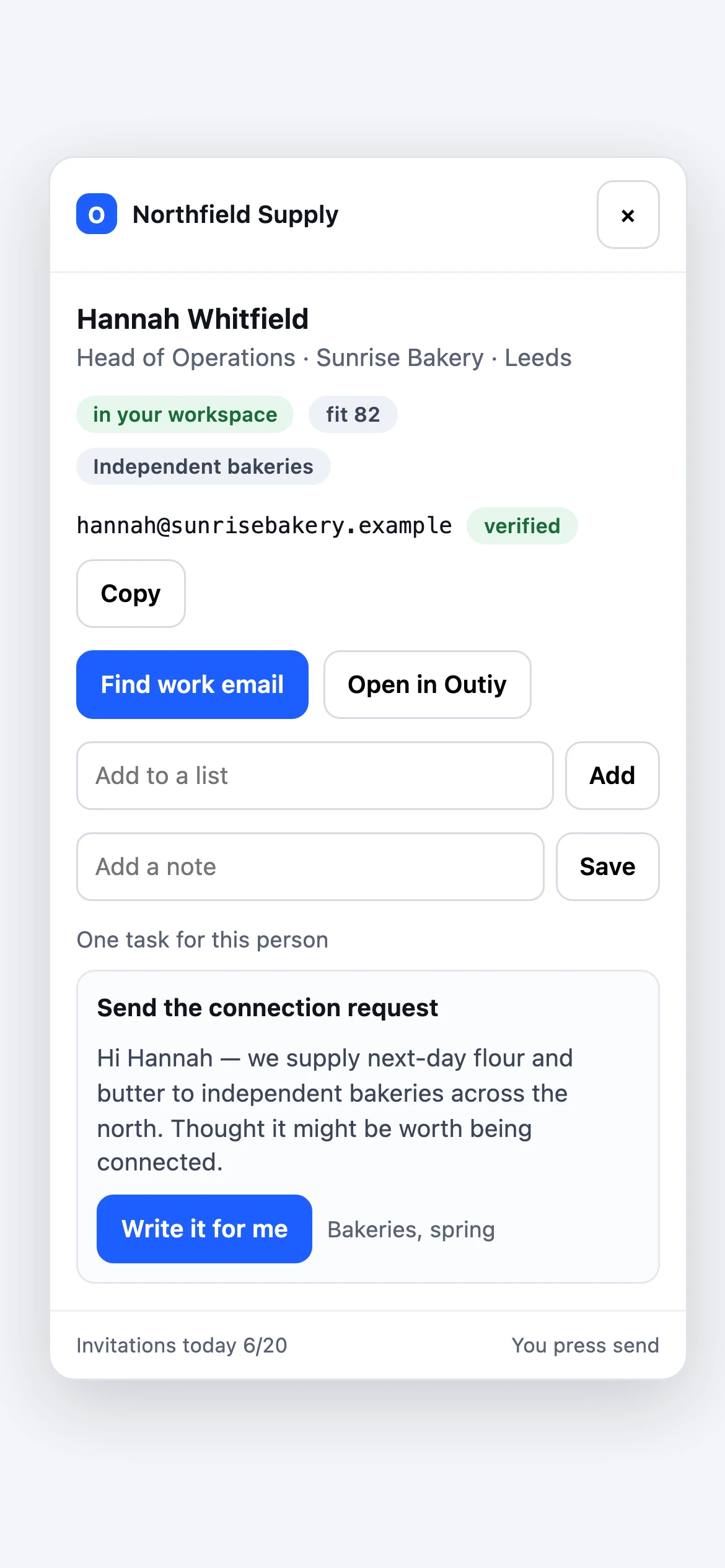
A connection request or message due today arrives already written for that person. Press send yourself, or let Outiy send it for you.
Never a second copy of a lead
Somebody a search found months ago is recognised by their profile link or address, so saving them adds to that lead rather than duplicating it.
Built to protect your account
Daily limits for invitations, messages and profile views; a random gap between actions; working hours and days in your workspace’s time zone. All of it is enforced by Outiy on every action, not just inside the extension, so it cannot be quietly turned off on one laptop.
It stops when LinkedIn frowns
A security checkpoint, an invitation limit or a restricted-account warning pauses everything in the workspace at once and tells you why. Nothing touches your account again until you start it.
You decide who presses send
Automatic sending is off until you turn it on. Left off, the extension writes each invitation or message, opens it and waits for you.
Nothing hidden
It reads only what the page is showing you, never asks for your LinkedIn password, and records every action it takes — with who took it — on the lead’s own timeline.
Questions about the LinkedIn extension
Is this allowed by LinkedIn?
LinkedIn’s User Agreement restricts automated access, and it may restrict accounts it believes are automated. The account is yours, so the choice is yours: the limits, the pacing and the off switch are there to keep the volume human, and automatic sending is off until you turn it on.
Does Outiy get my LinkedIn password?
No. The extension works inside the session you are already signed in to, in your own browser. Nothing runs on our servers, and no LinkedIn credential is ever sent to us.
Which browsers?
Chrome and other Chromium browsers — Edge, Brave and Arc.
Can I use it without the automation?
Yes. Plenty of people use it only to save people and find their email, and leave every LinkedIn step to themselves.
Next
Tasks